Complete Guide to Digital Job Cards for Indian Car Service Centers
A job card is the foundation of every workshop transaction. It records what the customer came in for, what was found, what work was authorised, what parts were used, who did the work, and how long it took. Done well, it protects the workshop and reassures the customer. Done on paper, it creates risk at every stage.
What a Job Card Must Capture
Before talking about digital systems, it helps to be clear about what a complete job card actually needs to contain. Many workshops use simplified job cards that capture only the basics — vehicle number, customer name, complaint — and leave out the information that matters most when problems arise later.
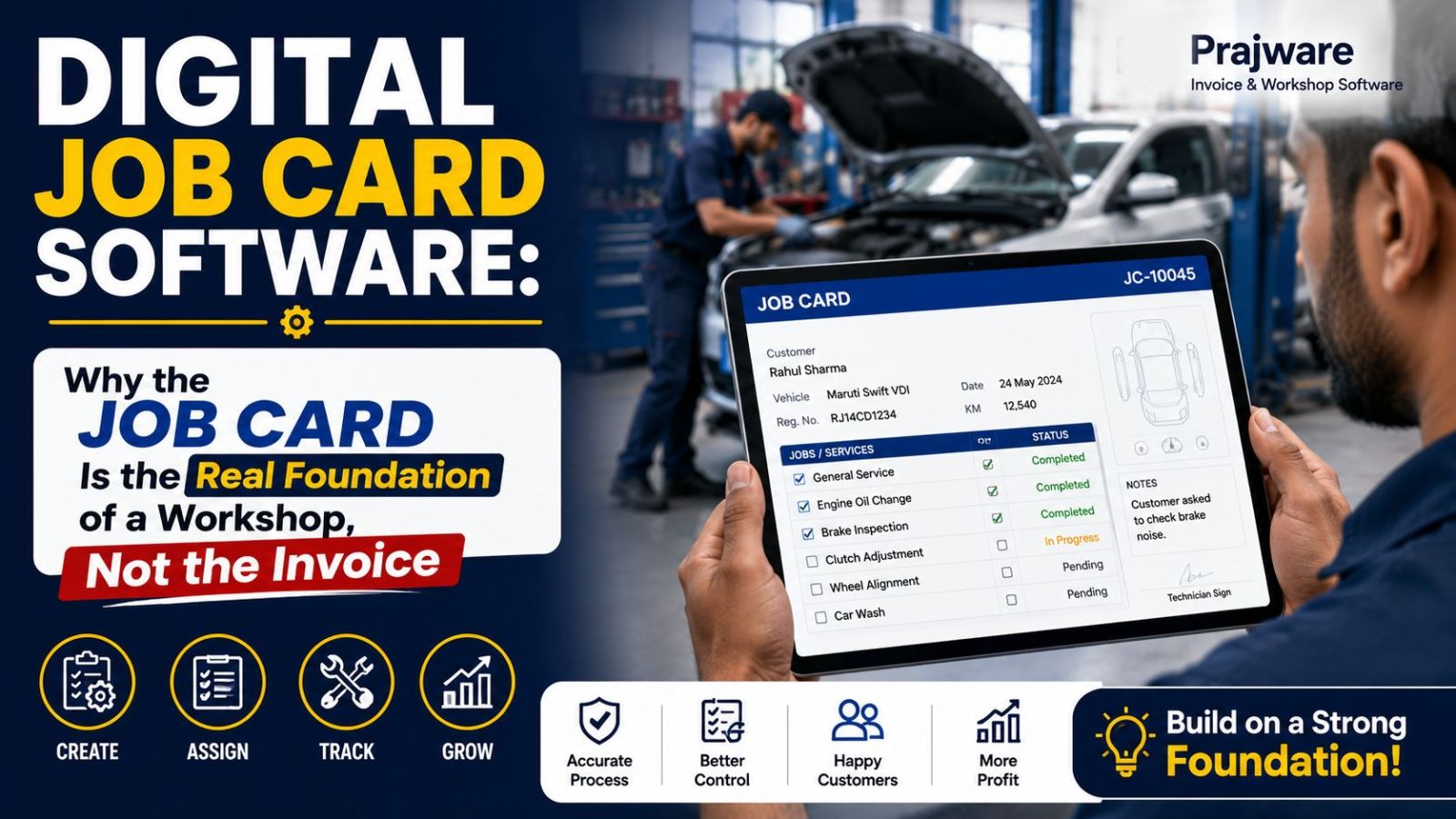
A complete job card includes: the vehicle registration number and make/model, the customer's name and contact number, the reported complaint in the customer's own words, the inspection findings noted by the technician, the specific jobs authorised by the customer, each part used with its part number and cost, the labour time and charges, the name of the assigned technician, job status at each stage, and the final invoice amount.
This is a lot of information. On paper, capturing all of it consistently and accurately is genuinely difficult. In a digital system like Prajware Workshop, it is a structured form that guides the user through every field and stores everything automatically.
How Digital Job Cards Work in Prajware Workshop
When a vehicle arrives at a workshop using Prajware Workshop, the process takes about sixty seconds. The service advisor opens a new job card, enters the vehicle registration number — if the vehicle has visited before, all previous history appears automatically — notes the customer's complaint, and creates the job card. The system assigns a job number, timestamps the entry, and the job card is now visible to every person in the workshop who needs it.
As the job progresses, the assigned technician updates the status. When parts are used, they are logged against the job card. When the inspection reveals additional issues, they are added as notes. The customer can be informed at any stage via WhatsApp with a single click. When the job is complete, the invoice is generated from the job card data — parts, labour, GST — without any re-entry.
The Real-Time Status Tracking Advantage
For the Workshop Owner
A digital job card system gives the workshop owner a live view of every job in the workshop at any moment. How many vehicles are currently in progress? Which jobs are overdue? Which technician has the most open jobs? This visibility is impossible with paper cards and completely natural with a digital system.
For the Service Advisor
When a customer calls for a status update, the service advisor has the answer in three seconds. Open the job card, see the current status and any notes the technician has added, give the customer an accurate update. No putting the customer on hold, no shouting across the workshop to ask the mechanic.
For the Technician
The assigned technician has clear visibility into what was reported, what the inspection found, and what has been authorised. There is no ambiguity about scope of work, no miscommunication between the front desk and the workshop floor.
Converting Job Cards to Invoices
One of the most time-consuming parts of traditional workshop billing is re-entering job card information into an invoice. The parts used, the labour charges, the customer details — all of it gets typed into a separate invoice form, creating opportunities for errors and consuming staff time that could be better spent.
In Prajware Workshop, converting a completed job card to a GST-compliant invoice is a single click. Every piece of information is already there — the parts with their costs, the labour charges, the customer's details, the vehicle information. The invoice is generated, GST is calculated automatically, and it can be shared with the customer on WhatsApp immediately.
Vehicle History: The Long-Term Value
Every job card created in Prajware Workshop contributes to a permanent vehicle service history. This history is one of the most valuable long-term assets a workshop can build.
When a customer brings in a vehicle that has visited your workshop before, seeing their complete history — every service, every part replaced, every complaint — in the first thirty seconds of the conversation changes the nature of the interaction. You are not starting from scratch. You are a service provider who remembers.
This history also helps diagnose recurring problems, catch issues that were flagged in a previous visit but deferred, and identify patterns in how a particular vehicle has been maintained. Over time, it becomes a genuine competitive advantage over workshops that start fresh with every visit.
Car Inspection Checklist Integration
Prajware Workshop includes a digital car inspection checklist that allows technicians to record the vehicle's condition at the time of arrival. This serves two purposes: it protects the workshop against claims that damage was caused during the service, and it creates a systematic record of the vehicle's overall condition that can be used to recommend preventive maintenance.